 简体中文
简体中文 繁體中文
繁體中文 English
 Français
 Русский
 日本語
日本語 Tiếng Việt
 한국어
한국어 Deutsch
 Español
 Italiano
 Português
 العربية
 ไทย
ไทย Bahasa Indonesia
 Bahasa Melayu
 Türkçe
 Polski
 Nederlands
 Dansk
Dansk Norsk
Norsk Қазақша
Seedream 4.0 API Tutorial: ByteDance Image Generation for Production Pipelines
"Step-by-step tutorial for ByteDance's Seedream 4.0 image generation API. Setup, prompt engineering, batch processing, and cost comparison with DALL-E 3 and Midjourney."
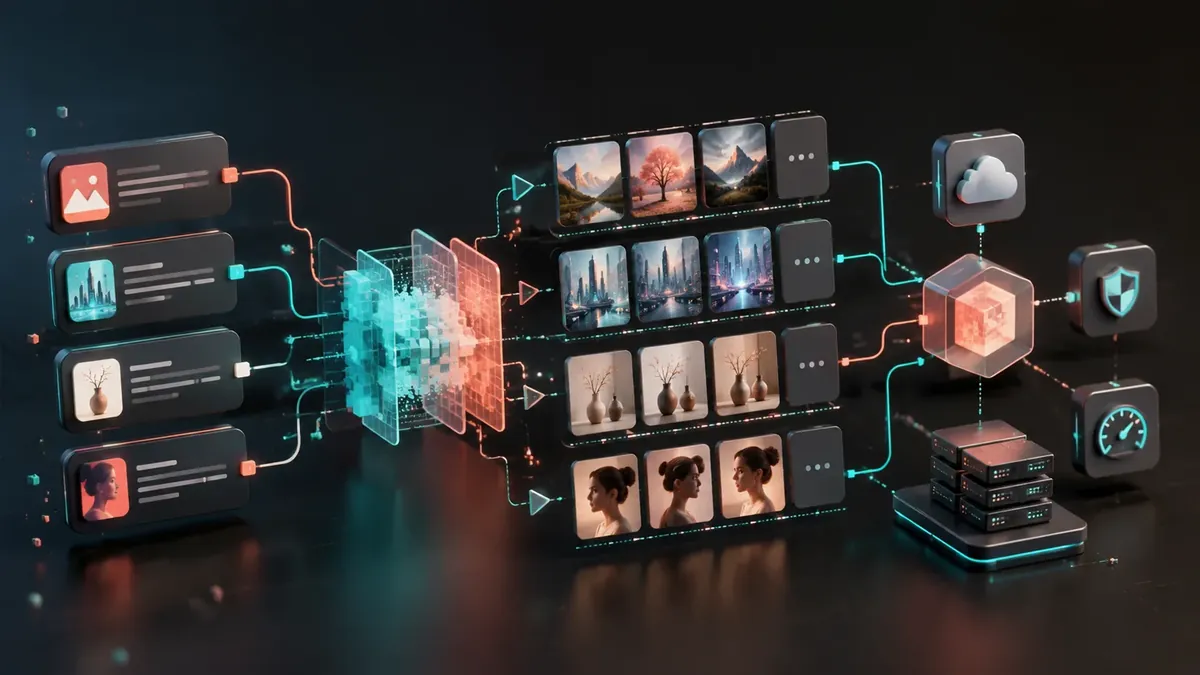
Seedream 4.0 API Tutorial: ByteDance Image Generation for Production Pipelines#
ByteDance's Seedream 4.0 is one of the most underrated image generation models in 2026. While DALL-E 3 and Midjourney dominate Western markets, Seedream 4.0 offers comparable quality at significantly lower pricing — especially for teams generating images at scale.
This tutorial walks you through API setup, prompt engineering, batch processing, and building production-ready image pipelines with Seedream 4.0.
What Is Seedream 4.0?#
Seedream 4.0 is ByteDance's latest text-to-image model, available through their Volcano Engine platform and third-party API providers. Key capabilities:
- 1024×1024 to 2048×2048 resolution output
- Photorealistic and artistic styles — strong at both
- Chinese and English prompts — native bilingual support
- Fast generation — 3-5 seconds per image
- Consistent quality — low variance between generations
- Excellent text rendering — better than DALL-E 3 for Chinese text in images
Seedream 4.0 vs Competitors#
| Feature | Seedream 4.0 | DALL-E 3 | Midjourney v6 | Flux Pro |
|---|---|---|---|---|
| Quality (1-10) | 8.8 | 8.5 | 9.2 | 9.0 |
| Speed | 3-5s | 5-10s | 30-60s | 5-8s |
| API Available | ✅ | ✅ | ❌ (Discord only) | ✅ |
| Chinese Text | ✅ Excellent | ❌ Poor | ❌ Poor | ❌ Poor |
| English Text | ✅ Good | ✅ Good | ✅ Good | ✅ Good |
| Price per image | $0.01-0.03 | $0.04-0.08 | $0.05 (plan) | $0.03-0.06 |
| Batch API | ✅ | ✅ | ❌ | ✅ |
Getting Started#
Option 1: Via Volcano Engine (Direct)#
import requests
import json
import base64

VOLC_ACCESS_KEY = "your-access-key"
VOLC_SECRET_KEY = "your-secret-key"

# Volcano Engine endpoint
endpoint = "https://visual.volcengineapi.com/v1/images/generations"

headers = {
    "Content-Type": "application/json",
    "Authorization": f"Bearer {VOLC_ACCESS_KEY}"
}

response = requests.post(
    endpoint,
    headers=headers,
    json={
        "model": "seedream-4.0",
        "prompt": "A serene Japanese garden in autumn, koi pond with maple leaves "
                  "floating on water, stone lantern, morning mist, photorealistic",
        "size": "1024x1024",
        "n": 1,
        "quality": "hd"
    }
)

result = response.json()
image_url = result["data"][0]["url"]
print(f"Generated image: {image_url}")
Option 2: Via Crazyrouter (OpenAI-Compatible)#
from openai import OpenAI

client = OpenAI(
    api_key="your-crazyrouter-key",
    base_url="https://ai.crazyrouter.us/v1"
)

# Use DALL-E compatible endpoint with Seedream model
response = client.images.generate(
    model="seedream-4.0",
    prompt="A futuristic Tokyo street at night, holographic advertisements, "
           "rain-slicked roads reflecting neon, cyberpunk aesthetic, 8K detail",
    size="1024x1024",
    n=1,
    quality="hd"
)

image_url = response.data[0].url
print(f"Image URL: {image_url}")
Option 3: cURL#
curl -X POST https://ai.crazyrouter.us/v1/images/generations \
  -H "Content-Type: application/json" \
  -H "Authorization: Bearer your-crazyrouter-key" \
  -d '{
    "model": "seedream-4.0",
    "prompt": "Professional product photo of wireless earbuds on marble surface, soft studio lighting, minimalist composition",
    "size": "1024x1024",
    "n": 1,
    "quality": "hd"
  }'
Prompt Engineering for Seedream 4.0#
Prompt Structure#
Seedream 4.0 responds best to structured prompts:
[Subject] + [Details] + [Setting/Background] + [Style] + [Technical Specs]
Effective Prompt Examples#
Product Photography:
"Minimalist flat lay of a leather wallet, car keys, and sunglasses on
a white marble surface. Soft directional lighting from top-left.
Shot on Phase One IQ4, f/8, product photography, commercial quality."
Character Art:
"Portrait of a female cyberpunk hacker, short neon-blue hair,
augmented reality glasses, leather jacket with circuit patterns.
Dark alley background with holographic signs. Digital art style,
highly detailed, dramatic rim lighting."
Architecture:
"Modern minimalist house in a forest clearing, floor-to-ceiling
glass walls, concrete and wood materials, infinity pool reflecting
trees. Golden hour lighting, architectural photography, wide angle."
Chinese Text in Images:
"一张中国风海报,标题写着'春节快乐',红色灯笼,金色祥云,
传统剪纸风格边框,喜庆氛围,高清印刷品质"
Negative Prompts#
Seedream 4.0 supports negative prompts to exclude unwanted elements:
response = requests.post(
    endpoint,
    headers=headers,
    json={
        "model": "seedream-4.0",
        "prompt": "Professional headshot of a business executive, "
                  "neutral background, studio lighting",
        "negative_prompt": "cartoon, anime, distorted, blurry, "
                          "watermark, text overlay, low quality",
        "size": "1024x1024",
        "n": 1
    }
)
Batch Processing for Production#
Generate Multiple Variations#
import asyncio
import aiohttp

async def generate_batch(prompts, model="seedream-4.0"):
    """Generate multiple images concurrently."""
    async with aiohttp.ClientSession() as session:
        tasks = []
        for prompt in prompts:
            task = generate_single(session, prompt, model)
            tasks.append(task)

        # Limit concurrency to avoid rate limits
        semaphore = asyncio.Semaphore(5)

        async def limited_task(task):
            async with semaphore:
                return await task

        results = await asyncio.gather(*[limited_task(t) for t in tasks])
        return results

async def generate_single(session, prompt, model):
    """Generate a single image."""
    async with session.post(
        "https://ai.crazyrouter.us/v1/images/generations",
        headers={
            "Authorization": "Bearer your-crazyrouter-key",
            "Content-Type": "application/json"
        },
        json={
            "model": model,
            "prompt": prompt,
            "size": "1024x1024",
            "n": 1
        }
    ) as resp:
        data = await resp.json()
        return data["data"][0]["url"]

# Generate product images for an e-commerce catalog
prompts = [
    "Product photo: red running shoes on white background, studio lighting",
    "Product photo: blue denim jacket folded neatly, white background",
    "Product photo: stainless steel water bottle, minimalist, white background",
    "Product photo: wireless headphones, matte black, white background",
    "Product photo: leather messenger bag, brown, white background",
]

urls = asyncio.run(generate_batch(prompts))
for i, url in enumerate(urls):
    print(f"Product {i+1}: {url}")
Marketing Asset Pipeline#
class MarketingImagePipeline:
    def __init__(self, api_key, base_url="https://ai.crazyrouter.us/v1"):
        self.client = OpenAI(api_key=api_key, base_url=base_url)

    def generate_ad_set(self, product_name, style="modern"):
        """Generate a complete ad set: hero, social, banner."""
        sizes = {
            "hero": "1792x1024",      # Website hero
            "social_square": "1024x1024",  # Instagram
            "social_story": "1024x1792",   # Stories
        }

        results = {}
        for name, size in sizes.items():
            prompt = self._build_prompt(product_name, name, style)
            response = self.client.images.generate(
                model="seedream-4.0",
                prompt=prompt,
                size=size,
                n=1,
                quality="hd"
            )
            results[name] = response.data[0].url

        return results

    def _build_prompt(self, product, format_type, style):
        base = f"Professional advertisement for {product}, {style} aesthetic, "
        if format_type == "hero":
            return base + "wide composition, lifestyle context, aspirational mood"
        elif format_type == "social_square":
            return base + "centered composition, bold colors, social media optimized"
        elif format_type == "social_story":
            return base + "vertical composition, dynamic angle, mobile-first design"

# Usage
pipeline = MarketingImagePipeline("your-crazyrouter-key")
ad_set = pipeline.generate_ad_set("Premium Wireless Earbuds", style="minimalist tech")
Pricing Deep Dive#
| Resolution | Volcano Engine | Crazyrouter | DALL-E 3 (OpenAI) |
|---|---|---|---|
| 1024×1024 | $0.02 | $0.01 | $0.04 |
| 1024×1792 | $0.03 | $0.015 | $0.08 |
| 2048×2048 | $0.05 | $0.025 | N/A |
Cost at Scale#
| Monthly Volume | Seedream (Crazyrouter) | DALL-E 3 | Savings |
|---|---|---|---|
| 1,000 images | $10 | $40 | 75% |
| 10,000 images | $100 | $400 | 75% |
| 100,000 images | $1,000 | $4,000 | 75% |
For teams generating thousands of images monthly (e-commerce, marketing, content), Seedream 4.0 via Crazyrouter offers massive cost savings.
FAQ#
Is Seedream 4.0 as good as DALL-E 3?#
For photorealistic content and Chinese text rendering, Seedream 4.0 is equal or better. For creative/artistic prompts, DALL-E 3 has a slight edge. For the price difference (75% cheaper), Seedream is the better value for most production use cases.
Can Seedream 4.0 generate text in images?#
Yes, and it's particularly strong at Chinese text rendering — better than any Western model. English text is good but not perfect for long sentences. Keep text short (2-5 words) for best results.
Is there a free tier for Seedream 4.0?#
Volcano Engine offers limited free credits for new accounts. Through Crazyrouter, you can test with minimal spend ($0.01 per image).
Does Seedream 4.0 have content restrictions?#
Yes. ByteDance applies content moderation that blocks NSFW content, political figures, and copyrighted characters. The restrictions are stricter than DALL-E 3 for political content but similar for other categories.
Can I use Seedream 4.0 commercially?#
Yes. Images generated through the API are cleared for commercial use. Check ByteDance's current terms for specific restrictions.
Summary#
Seedream 4.0 is the best-value image generation API in 2026 — offering quality comparable to DALL-E 3 at 75% lower cost. Its bilingual capabilities and fast generation make it ideal for production pipelines serving global markets.
Access Seedream 4.0 through Crazyrouter with an OpenAI-compatible API format, making it a drop-in replacement for DALL-E 3 in existing codebases with a single model name change.