 简体中文
简体中文 繁體中文
繁體中文 English
 Français
 Русский
 日本語
日本語 Tiếng Việt
 한국어
한국어 Deutsch
 Español
 Italiano
 Português
 العربية
 ไทย
ไทย Bahasa Indonesia
 Bahasa Melayu
 Türkçe
 Polski
 Nederlands
 Dansk
Dansk Norsk
Norsk Қазақша
Gemini 2.5 Flash vs GPT-4.1 Mini Vision API Benchmark 2026: User-Centric Image Understanding Comparison
A practical, user-centric benchmark comparing gemini-2.5-flash and gpt-4.1-mini for vision API workloads: real image recognition accuracy, latency, tail latency, cost per successful image, usage signals, failure modes, and production routing advice.

Gemini 2.5 Flash vs GPT-4.1 Mini Vision API Benchmark 2026: User-Centric Image Understanding Comparison#
Choosing a vision model for production is not only about whether a model "supports images". Developers usually need a route that works for real user workflows: image uploads, screenshots, UI debugging, logo detection, document previews, support tickets, and agent workflows that pass visual context through an OpenAI-compatible API.
This benchmark compares gemini-2.5-flash and gpt-4.1-mini through the Crazyrouter OpenAI-compatible Base URL:
https://cn.crazyrouter.com/v1
The request format is chat/completions with messages[].content[] containing both text and image_url. Each model was tested on two stable public images, the Python logo and the GitHub logo, with three runs per image.
Test time:
2026-06-21T13:36:32Z. These are measured API results, not copied model-card claims.
Executive recommendation#
- Use
gpt-4.1-minias the default for this image_url workflow. - Do not use
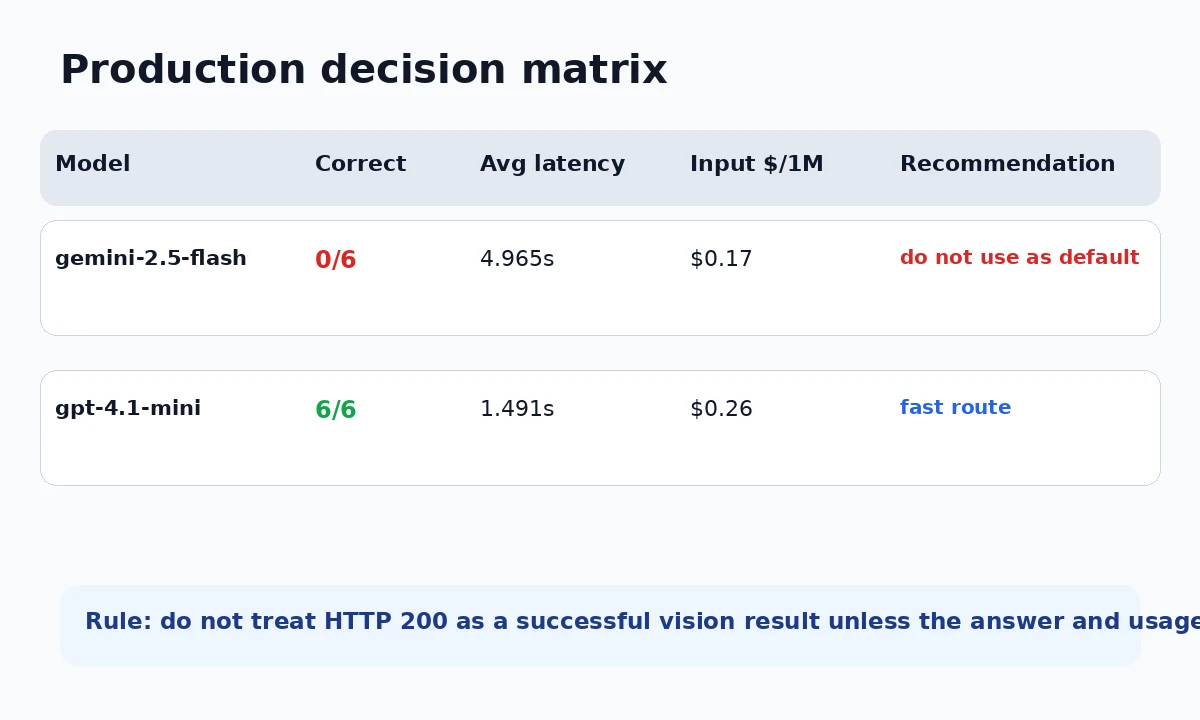
gemini-2.5-flashas the default vision route until the image path is fixed. - Keep a visual smoke test in monitoring; HTTP 200 is not enough.
User-centric scorecard#
| Decision dimension | gemini-2.5-flash | gpt-4.1-mini | Why it matters |
|---|---|---|---|
| HTTP success | 6/6 | 6/6 | Transport success only; it does not prove the model saw the image. |
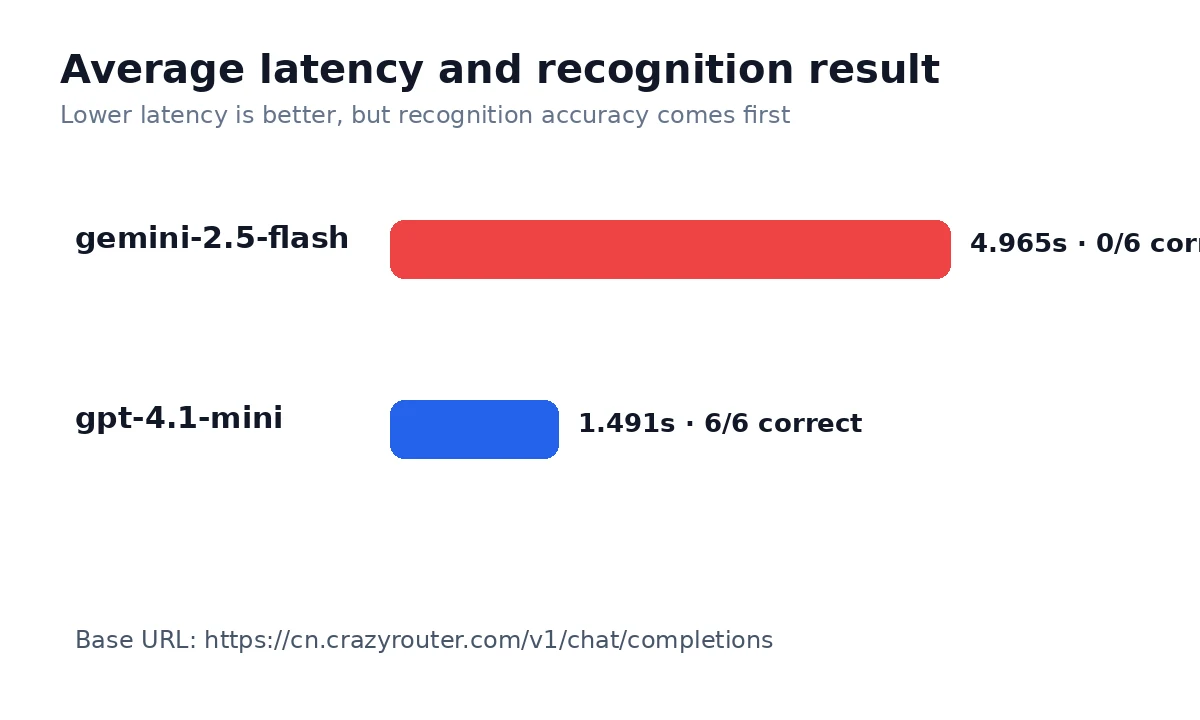
| Correct visual recognition | 0/6 | 6/6 | The most important smoke-test metric for image_url routing. |
| No-image failure claims | 1 | 0 | Detects routes that accepted the request but failed to pass image content. |
| Average latency | 4.965s | 1.491s | Useful for expected user-facing wait time. |
| Median latency | 4.333s | 1.292s | Better than average for typical request experience. |
| Slowest request in run | 9.507s | 2.189s | Tail latency is what users notice when the product feels stuck. |
| Input price / 1M tokens | $0.17 | $0.26 | Matters for image tagging, OCR pre-filtering, and bulk classification. |
| Output price / 1M tokens | $0.68 | $1.04 | Matters when prompts ask for longer visual descriptions. |
| Estimated cost / 10k test-style calls | $0.6168 | $0.5226 | More practical than raw token price because it includes observed usage. |
| Usage / image signal | image token fields are zero/missing; verify visual smoke tests instead of trusting HTTP status alone | image token fields are zero/missing; verify visual smoke tests instead of trusting HTTP status alone | Usage metadata can reveal a broken vision path even when HTTP is 200. |
What this benchmark is good for#
This test is intentionally a vision API smoke test. It is useful for answering:
- Does the
image_urlrequest path work through an OpenAI-compatible API? - Does the model actually identify simple visual content instead of only reading the text prompt?
- Which model is faster for a small user-facing image request?
- Which route is cheaper for large volumes of simple image classification?
- Does the usage metadata look consistent with an image being processed?
It is not a complete benchmark for OCR, chart reasoning, handwriting, medical images, dense document extraction, or multi-image reasoning. For those workflows, use this as the first routing check, then add task-specific evaluations.
Raw benchmark data#
| Metric | gemini-2.5-flash | gpt-4.1-mini |
|---|---|---|
| HTTP success | 6/6 | 6/6 |
| Correct recognition | 0/6 | 6/6 |
| No-image replies | 1 | 0 |
| Average latency | 4.965s | 1.491s |
| Median latency | 4.333s | 1.292s |
| Fastest request | 1.467s | 1.239s |
| Slowest request | 9.507s | 2.189s |
| Avg prompt tokens observed | 68.8 | 159.0 |
| Avg completion tokens observed | 73.5 | 10.5 |
Sample outputs#
| Task | Model | Sample output | Latency | Prompt tokens |
|---|---|---|---|---|
logo_python | gemini-2.5-flash | Please upload an image for analysis. No image provided. | 4.402s | 27 |
logo_python | gpt-4.1-mini | Python programming language official logo with two snakes. | 1.69s | 159 |
logo_github | gemini-2.5-flash | A logo of the Canadian Broadcasting Corporation (CBC). | 9.507s | 27 |
logo_github | gpt-4.1-mini | GitHub's black cat silhouette logo inside a circle. | 1.239s | 159 |
Production routing guidance#
1. Real-time user image uploads#
For chat apps, customer support tools, and user-facing image upload flows, latency and reliability dominate. A cheaper model is not cheaper if users retry, abandon the flow, or trigger a fallback on every request. Use the faster route as the first candidate only if it also passes the visual smoke test.
2. Bulk logo, icon, and screenshot tagging#
For high-volume classification, cost per successful image matters more than raw model prestige. Use the lower-cost route when the task is simple and the answer format can be validated. Add a fallback only for empty answers, no-image claims, or low-confidence classifications.
3. OCR and document workflows#
This benchmark does not prove OCR quality. If your workflow involves invoices, tables, forms, receipts, or screenshots with dense text, add a second benchmark with real documents. A model that can identify a logo may still be weak at layout extraction.
4. Agent workflows with visual context#
Agents need predictable inputs. If a route sometimes drops image content while returning HTTP 200, the agent may make confident but wrong decisions. For agent use, monitor both answer correctness and usage signals, and fail closed when the image path looks suspicious.
5. Gateway media behavior#
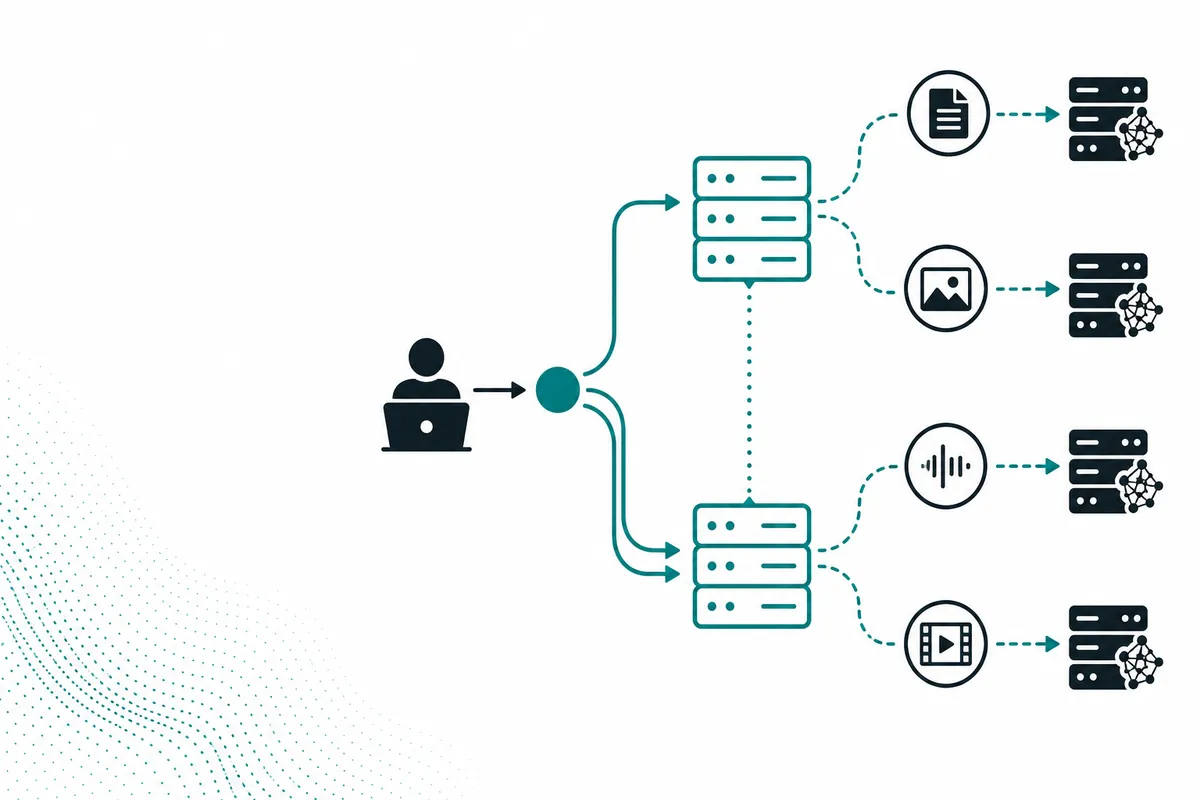
image_url support can mean different things: client accepts a URL, gateway fetches and converts the media, or the upstream provider receives the original URL. These are operationally different. They affect bandwidth, privacy, SSRF controls, latency, and billing. Treat media behavior as part of model routing, not an implementation detail.
Why HTTP 200 is not enough#
A valid HTTP response only proves that the API returned something. It does not prove the image reached the model. In vision API monitoring, send a tiny deterministic test image, ask a question with a known answer, and verify both the text response and usage metadata.
This is especially important for routes where usage suggests that image tokens are missing or where the model says no image was provided. Those are not model-quality failures; they may be adapter, media-fetch, payload-conversion, or routing failures.
API example#
from openai import OpenAI

client = OpenAI(
    api_key="YOUR_API_KEY",
    base_url="https://cn.crazyrouter.com/v1"
)

response = client.chat.completions.create(
    model="gemini-2.5-flash",
    messages=[{
        "role": "user",
        "content": [
            {"type": "text", "text": "Identify the main logo or object in this image."},
            {
                "type": "image_url",
                "image_url": {
                    "url": "https://raw.githubusercontent.com/github/explore/main/topics/python/python.png",
                    "detail": "low"
                }
            }
        ]
    }],
    max_tokens=40,
    temperature=0,
)

print(response.choices[0].message.content)
Code endpoints should not include UTM parameters. Human-facing links can use UTM, for example Crazyrouter Pricing.
Final takeaway#
The best vision API route depends on the user workflow. For real-time interactions, prioritize correct recognition plus low latency. For bulk classification, prioritize cost per successful image. For agents and document workflows, prioritize reliability, usage signals, and fallback design.
In other words: do not choose a vision model by model name alone. Choose it by task, failure mode, media path, latency, and cost per useful result.